Supermarket and grocery POS
Supermarket billing software for weighed produce, offers and many counters
Scan the labels your produce scale prints, run buy one get one and combo offers that apply themselves, print shelf labels that match the till, and run several counters in one store with their own cashiers and cash drawers.
Start with a 14-day free Fininvo ERP trial, then add POS counters. Paid plans start after the trial.
 Scale labelsWeight or price in the code
 Shelf labelsPrice, MRP and barcode
 CountersOwn shift and drawer
What makes a supermarket different
Thousands of items, a queue at every counter, and offers on half of them
A supermarket is a kirana at scale with three extra problems. Produce and loose goods are weighed at a scale before they reach the till. Offers change every week, and a buy one get one on shampoo has to work whether the customer puts both bottles on the belt together or ten items apart. And there are several counters, each with its own cashier and cash, that all have to agree with the stock at the end of the day.
Fininvo handles each of these at the counter itself. The till reads the barcode label your scale printed and turns it into an exact weight. Promotions are rules the counter applies as the basket grows, and each saving is shown on the bill. Every counter is a register with its own bill series, shift and drawer, so a shortage at counter three is found at counter three.
Behind the counter sits Fininvo ERP. Purchases from your suppliers and transfers from a central warehouse arrive as stock, batch tracked items carry their expiry date, and every bill posts its sale, tax and cost to the accounts. The store manager reads the day; the accountant reads the same numbers.
Worked example
Reading a scale label, then pricing the basket
Two things happen at a supermarket till that a plain billing app gets wrong: the weighed produce and the offers. Here is how one basket goes through the Fininvo counter. The layout and amounts are illustrative; you set the layout that matches your own scale.
| Part | Digits | Meaning |
|---|---|---|
| Prefix | 21 | A number from 20 to 29 tells the counter this is a scale label, not a product barcode. |
| Item code | 04560 | The scale PLU, matched to the item in your catalogue. The layout allows 4 to 6 digits. |
| Weight | 01250 | Read with three decimals: 1.250 kg. A price label carries the amount here instead. |
| Check digit | 8 | The standard EAN-13 check, so a misread barcode is rejected. |
| Item | Qty | Rule | Saving |
|---|---|---|---|
| Shampoo 180 ml | 2 | Buy 1 get 1: second piece free | 145.00 |
| Tomatoes (scale label) | 1.250 kg | Markdown on produce today | 10.00 |
| Breakfast combo: cereal + milk 1 L | 1 set | Combo at a set price | 35.00 |
| Biscuits, any 3 of the range | 3 | Mix and match: 3 for a set price | 20.00 |
| Rice 5 kg | 1 | No offer | 0.00 |
The tomatoes came from the scale label on the left: the counter read 1.250 kg and priced it at the kilo rate, then the produce markdown applied. The other offers were found as the items were scanned, in whatever order the customer put them on the belt, and each saving prints on the receipt so the customer can see what they saved and why.
 Fruits
 Vegetables
 Meat and fish
Weighed produce
Scale labels the till can trust
Most supermarkets weigh fruit, vegetables, loose dry fruits and deli items at a label scale near the section, then the customer brings the labelled bag to the till. Fininvo reads both common label types: a weight label, where the barcode holds the weight to three decimals, and a price label, where it holds the amount and the counter works out the weight from the item rate.
Every label is checked by the server against the item and its rate. A label with a quantity that does not match, for example one edited or reprinted by hand, is refused. Weight labels configured for an outlet also sell on the offline desktop counter, so produce billing does not stop when the internet does.
- Weight labels to three decimals
- Price labels converted to weight
- Prefix 20 to 29, item code 4 to 6 digits
- Labels checked on the server
- Configured labels sell offline

 Buy 1 get 1
 Mix and match
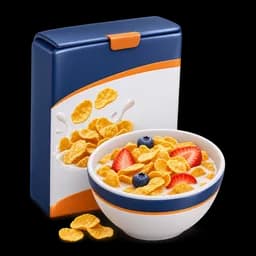 Combo
Promotions
Offers that apply themselves at every counter
Set up a promotion once and every counter applies it. Buy X get Y covers buy one get one and buy two get one. Combos price a named set of items together. Mix and match lets the customer pick any three from a range for a set price. Markdowns lower the price of an item or a group, such as produce at the end of the day.
The counter recalculates the offers each time an item is added or removed, so the order of scanning does not matter, and the receipt prints each saving. Coupons and prices for named customers can apply on top where you allow it, and a cashier can give a bill discount only within their own limit; above it, a manager approves at the counter.
- Buy X get Y
- Combo at a set price
- Mix and match across a range
- Markdowns on items or groups
- Savings printed on the receipt
- Manager approval above cashier limits
Many counters, one store
Run every till the same way
Each register keeps its own numbering, shift and drawer, and the owner sees all of them together.
Cashier PINs
Cashiers sign in to a register with a PIN, and roles decide who can discount, void or open the drawer.

Held bills
Park a basket while the customer fetches a forgotten item, serve the next person, then recall it.

Cash drops
Move surplus cash to the safe during the day, with an optional threshold that prompts the cashier.

X and Z reports
Running and closing reports per register, with tenders, returns, cash movements and the counted difference.
Shelf labels
Name, price, MRP and barcode on an A4 sheet of 24 or on thermal rolls, printed from the browser.
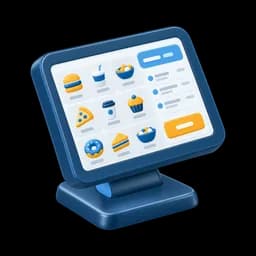
Customer display
A second screen shows the basket, each saving and the total as the cashier scans.

Batch and expiry
Batch tracked dairy and packaged food sell earliest expiry first, and expired batches can be blocked.

Loyalty and gift cards
Points on spend, gift cards and store credit, all accepted as payment at any counter.
A supermarket day
From delivery to the last counter closed
- 1
Receive stock
Supplier deliveries and warehouse transfers arrive in the ERP, with batch and expiry where needed.
- 2
Label the shelves
Print shelf labels for new prices and new items, so the shelf and the till agree.
- 3
Open the registers
Each cashier signs in with a PIN and counts the opening float for their counter.
- 4
Bill and weigh
Scan packed goods and scale labels; offers apply as the basket grows.
- 5
Move cash
Cash drops to the safe during the day keep the drawers lean and the expected totals right.
- 6
Close every till
Count each drawer and close with a Z report. Sales and stock are already in the books.
FAQ
Frequently asked questions
How does supermarket billing software read weighing scale labels?
Your label scale prints an EAN-13 barcode that starts with a prefix from 20 to 29 and carries the item code and either the weight or the price. You tell Fininvo which layout your scale uses. When the cashier scans the label, the counter finds the item and the quantity, and the server checks the label so a quantity changed by hand is refused.
Can the counter connect to the weighing scale directly?
Fininvo works with the barcode labels your scale prints, which is how most supermarket produce sections run. A live cable link from the counter to the scale is not offered today, so the weighing happens at the scale and the counter reads the printed label.
Which promotions can a supermarket run?
Buy X get Y, combos of named items at a set price, mix and match across a group of items, and markdowns. The counter applies them automatically as the basket is scanned and shows each saving on the bill. Coupons and named customer prices can also apply, and cashiers can add a bill discount within their limit.
Can I run several billing counters in one store?
Yes. Each counter is a register with its own bill number series, its own shift and its own cash drawer, and cashiers sign in with a PIN. At day end each register is closed with its own count, and the owner sees all registers and outlets together.
Does it print shelf labels?
Yes. Shelf labels show the item name, price, MRP and barcode, as EAN-13 when the code is valid and Code 128 otherwise. They print on an A4 sheet of 24 labels or on thermal label rolls from the browser.
Can I track batch and expiry for packaged food and dairy?
Yes. Items can be batch tracked, and the counter picks the batch that expires first. An expired batch can be blocked at the counter, and the expiry report lists stock nearing its date by warehouse so you can mark it down or return it in time.
14 days free, full access
Set up your supermarket on Fininvo
Import your products with barcodes and GST rates, set your scale label layout, add your registers and cashiers, and open the first counter.
Start with a 14-day free Fininvo ERP trial, then add POS counters. Paid plans start after the trial.