Hardware and spares POS
Hardware shop billing software for the trade counter
Sell a single bolt or a box of a hundred, cut cable by the metre, give contractors their own rates and keep their credit in check. Built for hardware, sanitary, electrical, paint and spare parts shops that serve walk-ins and trade buyers at the same counter.
Start with a 14-day free Fininvo ERP trial, then add POS counters. Paid plans start after the trial.
 Unit or boxPack barcodes, base-unit stock
 Trade pricesPer customer or group
 Credit limitManager PIN to exceed
Why hardware is different
One counter, two kinds of customer
A hardware shop sells to two different people at once. The homeowner wants three wall plugs and a tube of sealant at the shelf price, paid in cash. The plumber standing behind them wants forty elbows, a coil of pipe and a box of solvent cement at his usual rate, on account, with his GSTIN on the bill. Most billing apps are built for the first customer and leave the second on a notebook.
Fininvo hardware shop billing software is search-led rather than scan-led, because half of what you sell has no barcode and is asked for by size or part number. It knows that an item can be sold loose, by the box or by the metre, that a trade customer has a price list and a credit limit, and that some goods are paid for today and collected next week. Every bill is a GST sale in Fininvo ERP, so stock, receivables and tax follow without retyping.
 Fasteners
 Switches
 Pipe fittings
Unit or box
Sell loose, by the box or by the carton
Screws, anchors, switches and fittings arrive in boxes and leave in handfuls. On the Packs screen a manager defines each pack once: a code that prints on the receipt, a name such as Box of 100, how many base units it holds, an optional barcode and an optional pack price. A box can be cheaper per piece than loose stock, or you can leave the price empty and let the counter multiply.
At the counter the cashier picks Unit or box on the line, or simply scans the box barcode. Stock is always kept in base units, so if you sell 2 boxes of 100 and 15 loose screws, 215 screws leave stock and the stock report stays honest. A pack code or barcode can only be used once, so two boxes cannot share a barcode by mistake.
- Pack code, name, size, barcode and price
- Scan the box to add a box
- Stock moved in base units
- Duplicate pack barcodes refused
- Packs also sell on the offline desktop counter
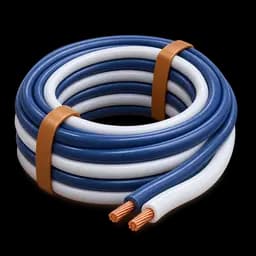
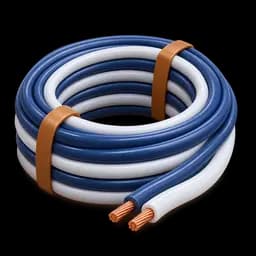 Cable
- Pipe
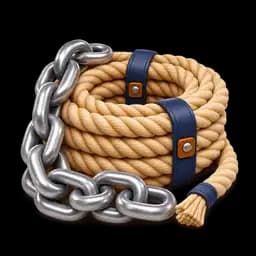 Chain and rope
Cut lengths
Wire, pipe, chain and rope by the metre
Measured goods need rules, or the bill and the reel never agree. In Measures, parts and grades, each item gets a quantity rule: decimals from 0 to 3, the step you cut in (for example 0.5 m for cable or 0.005 m for fine chain), the minimum you sell, and whether to keep the exact figure, round to the nearest step, round up or round down. A measured value calculator shows exactly what the counter will charge before you save the rule.
Cutting leaves offcuts. Record a cut loss against the item with the quantity, the reel it came from, the warehouse and a reason, optionally linked to the bill. A second manager approves it, and inventory then approves the stock adjustment, so wastage is visible instead of quietly becoming a stock difference at year end.
- Decimals, step, minimum and rounding per item
- Rule enforced at the register
- Cut losses with reason and two approvals
- Stock adjustment through ERP inventory
Worked example
One trade bill, line by line
A plumbing contractor on your contractor price list buys for a site. Here is what the counter does with each line. Prices come from your own price lists, so the example shows rules, not rates.
| Line | How it is entered | What the counter applies | What moves in stock |
|---|---|---|---|
| CPVC elbow, 40 pieces | Searched by size, quantity typed | Contractor list price, plus the 25 plus quantity tier from the scheme | 40 pieces |
| Solvent cement, 2 boxes of 12 | Box barcode scanned twice | Pack price for the box, not loose price times 12 | 24 tins |
| CPVC pipe, 18.5 m | Length typed, step 0.5 m | Price per metre times 18.5; 18.3 would round to the step you chose | 18.5 m |
| Water pump, 1 unit | Marked deliver later | Paid today against the deposit already taken | Nothing until hand-over |
| Payment | On account | Checked against the credit limit; IGST if his GSTIN is from another state | Receivable in ERP |
Each price on the bill can be explained: the counter records which price list, scheme or rule set it.
Trade customers
Contractor rates, credit limits and deposits
Your best customers buy every week and pay every month. Give them their own terms without trusting the cashier's memory.
Customer price lists
Prices for one customer or a group such as electricians, set on ERP price lists. Attach the customer and every line reprices.

Quantity tiers
Promotional schemes give a percentage or amount off above a minimum quantity, for walk-ins and trade alike.
Credit with a limit
The counter shows the limit, what is owed now including counter sales, and what is available. Over the limit needs a manager PIN.

Deposits
Take an advance for a big order and use it as a payment on the bill. The advances list shows what is left to use.

 Deliver later
 Loaded quote
 Walk-in
Trade counter
Quotes, orders and goods still to hand over
Contractors ask for a quotation before they buy. Make it as an ERP quotation or sales order, and when the customer comes back, the cashier loads it into the counter in one step. The lines are repriced by the counter, so a quotation from last month cannot sneak through at an old rate.
The Trade orders screen is the back office of the trade counter. Find a customer by name, phone or GSTIN to see their credit position, their advances, and every line that was paid for but not yet collected. Filter by still to hand over, partly handed over or handed over, and record a partial hand-over when the second load leaves the yard.
- Load an ERP quotation or sales order into the bill
- Lines repriced at the counter
- Customer search by name, phone or GSTIN
- Goods to hand over, with partial hand-over
- Delivery challans from ERP where enabled
Spare parts
Find the part by number or by vehicle
Spares shops lose sales when only the owner knows that two part numbers are the same thing. Parts lookup lets the counter search by your part reference, by an alias such as the OEM number, or by vehicle make, model, variant and year. Each result shows whether it fits, its recorded alternatives and the stock you have, and Pick for bill sends it to the counter.
Fitment comes only from the data you record. Nothing is swapped automatically: if the cashier picks a part that is not listed for the vehicle, the counter asks for an acknowledgement and a reason. Managers add aliases and fitment one by one or paste them in bulk, with the source and date of each alias kept for reference.
A trade sale
From enquiry to receivable in six steps
- 1
Find the customer
Search by name, phone or GSTIN. Their price list, credit position and advances come with them.
- 2
Build the bill
Search by size or part number, scan box barcodes, type lengths, or load last week's quotation.
- 3
Check the prices
Customer prices and quantity tiers apply, and each line shows the rule behind its price.
- 4
Split take now and later
Mark the pump or the bulk order as deliver later; the rest leaves with the customer.
- 5
Take payment
Cash, UPI, a deposit already paid, or on account within the credit limit.
- 6
Collect and close
Balances age the receivable, counter collections settle the oldest bills first, and stock is already correct.
Also on the hardware counter
The rest of a busy shop day

Search-led billing
Find items by name, size or code, and scan where barcodes exist.

Returns
Returns and credit notes against the original bill, recorded on the shift.

Shift close
Count the drawer, read the Z report and see any difference before you lock up.

Counter hardware
Receipt printers, barcode scanners and cash drawers on the web or desktop counter.

Reorder suggestions
See what is running low and raise the purchase in Fininvo ERP.

Stock across outlets
Check another branch or the godown before telling a customer you are out.
FAQ
Frequently asked questions
Can I sell the same item by the piece and by the box?
Yes. Define a pack on the item, such as a box of 100 screws or a carton of 10 switches, with its own code, optional barcode and optional pack price. Scanning the box barcode adds one box to the bill, and stock always moves in base units, so selling 2 boxes of 100 takes 200 screws out of stock. If you leave the pack price empty, the counter charges the base price times the pack size.
How do I give contractors and plumbers their own rates?
Put the customer, or a customer group such as contractors, on an ERP price list. When the cashier attaches that customer to the bill, the counter prices every line from their list instead of the walk-in price. Quantity tiers from promotional schemes, for example a lower rate above 50 pieces, apply on top, and the bill explains which rule set each price.
Can I sell wire, pipe or chain by the metre?
Yes. Each item can have a quantity rule: how many decimals are allowed, the step you cut in, a minimum per sale and how to round. The counter enforces the rule, so a cashier cannot bill 1.237 m of a cable you cut in 0.5 m steps. Offcuts and cutting losses are recorded with a reason and approved by a second manager before stock is adjusted.
Does it handle credit for trade customers?
Yes. Set a credit limit on the customer and take the sale on account. The counter shows what the customer owes, including earlier counter sales, and how much limit is left. Going over the limit needs a manager PIN, and that override is recorded. Customer balances show what is owed by age, and payments collected at the counter settle the oldest bills first.
Will a bill to a contractor in another state charge IGST?
When the attached customer has a GSTIN from a different state than your shop, the counter charges IGST instead of CGST and SGST and shows an inter-state hint on the customer. Their GSTIN prints on the bill. Every line carries the HSN code and GST rate from your ERP item master.
Can the customer pay now and collect the goods later?
Yes, on the web counter. Mark a line as deliver later, take the payment or a deposit, and the goods stay in stock until they are handed over. Hand them over in parts if the customer collects in two trips; each hand-over takes that quantity out of stock. The Trade orders screen lists what is still to hand over.
14 days free, full access
Set up your hardware counter on Fininvo
Import your items, add packs and cut-length rules for the ones that need them, put your contractors on a price list and bill your first trade customer. Accounts and stock run in the same account.
Start with a 14-day free Fininvo ERP trial, then add POS counters. Paid plans start after the trial.