The Fininvo ERP app is your business on the phone. Raise and send invoices, approve purchase orders and expenses, scan stock, record payments, read your reports and bill customers at a POS counter, all on the same books your team keeps on the web.
Free to download Same account as the web Reads and queues offline
9:41
LT
Waiting for youApprovals
Purchase order PO-0412Raised by Ravi · StoresPending
Expense claim EXP-118Client visit · MeeraPending
Quotation QT-2207Discount above limitPending
Material request MR-061Production floorPending
RejectApprove
HomeApprovalsSearchMore
9:41
LT
InvoicesQuotesOrders
This monthSales documents
INV-2041Lakeview TradersPaid
INV-2042Metro HomeDue
INV-2043Greenleaf FoodsSent
QT-2207Bluebay LogisticsDraft
+ New invoice
HomeApprovalsSearchMore
9:41
LT
Scan or search a product
SKU BR-5KG · Batch B-1124Basmati rice 5 kg
Main warehouseOn hand240 units
City storeOn hand36 units
Dispatch bayOn hand12 units
Move stock
HomeApprovalsSearchMore
Fininvo ERP appApprovals
What the app does
Run the business
from wherever you are.
The app is not a dashboard viewer. Owners, managers, sales staff and storekeepers do real work in it, and every action writes to the same Fininvo ERP records the web uses.
Approvals inbox
Purchase orders, expense claims, quotations and other requests that wait on you, grouped by type. Swipe right to approve, swipe left to reject with a note.
Same queue as web approvals
A reason is required to reject
Undo for a mistaken swipe
Invoices, quotations and orders
Create a quick invoice, a quotation or a sales order on the phone, then open any document to see line items with HSN codes and the CGST, SGST or IGST breakup.
Quick invoice with a new customer in one step
Convert a quotation into an order
Preview, download and share the PDF
Payments on the spot
Record a payment against an invoice with the balance already filled in, or show a UPI QR from the company UPI ID so the customer pays while you wait.
Payment history on every invoice
UPI QR for unpaid invoices
Payment kept even if the network drops
Send by WhatsApp or email
Send an invoice, quotation, order, credit note or purchase order through your company WhatsApp channel and approved template, or open it in your own WhatsApp.
Company template when connected
Your own WhatsApp as a fallback
Customers and CRM
A full view of each customer: contacts and buying roles, orders, deliveries, invoices, payment promises and disputes. Tap to call or message, log the call, move deals on the pipeline.
Customer 360 view
Opportunity pipeline board
Field sales visits
Stock lookup by scan
Scan a product on the shop floor and see what is on hand in each warehouse, with batch and serial details and pricing.
Camera scan or search
On hand by warehouse
Batch and serial information
Receive goods and count stock
Pick an open purchase order, scan items as they come off the truck and post the goods receipt. Run cycle counts line by line and see the variance before you approve.
Scan-to-receive against a PO
Cycle counts with variance preview
Stock moves between locations
Expense capture
Photograph a receipt, fill the claim and submit it into the approval flow. A file shared from another app can become the receipt of a new claim.
Camera receipt
Submit for approval
Works offline and sends later
Reports in your pocket
Profit and loss, balance sheet and trial balance as phone-friendly views, receivables and payables ageing with a payment reminder, and a report library you can export and share.
Financial statements by period
AR and AP ageing
Export reports to the share sheet
Production and service work
Report produced and scrap quantities on a work order, close a service call with resolution notes and a customer signature, and log time against a project.
Work order production reports
Service calls with signature
Timesheet entries
Search and notifications
One search box finds modules, invoices, customers, vendors, products, quotations and projects. Notifications open straight onto the record they are about.
Search across records
Unread filter and mark all read
App lock and offline reading
Turn on app lock to require the phone’s biometrics or passcode. Without a network, screens keep showing the last synced data and a banner says you are offline.
Optional app lock
Last synced data offline
Selected actions queued until online
POS in the ERP app
A billing counter
in the same app.
Shops do not need a second app for the counter. Fininvo POS runs inside the ERP app, so every sale lands in the same stock and accounts as your invoices.
Counter billing on the phone
Turn an Android phone or iPhone into a billing counter: add items, take cash with change or split the payment, and record UPI and other payments with their reference.
Camera barcode scan
Scan items with the phone camera in a continuous scan mode, or plug in a USB or Bluetooth barcode scanner that types like a keyboard.
Bluetooth receipt printing
On Android, print receipts on a paired Bluetooth thermal printer. On Android and iPhone, print a full-page receipt through the phone’s own print dialog.
Share the receipt
Send the receipt to the customer by WhatsApp or SMS through the channels your business has connected.
Keeps selling offline
If the internet drops, the counter keeps billing. Sales are stored safely on the phone and uploaded in order when the connection returns, with a sync screen that shows what is still pending.
Past receipts
Look up earlier sales from the register and print a copy, clearly marked as a duplicate.
Storekeepers should not walk back to a desk to check a quantity. With the ERP app they scan a product and see on-hand stock in each warehouse, with batch and serial details. At the dock they pick an open purchase order, scan items as they are unloaded and post the goods receipt, which updates web inventory straight away.
Cycle counts run the same way: scan, enter the counted quantity line by line, check the variance and complete the count so the adjustment posts just as it would from the web.
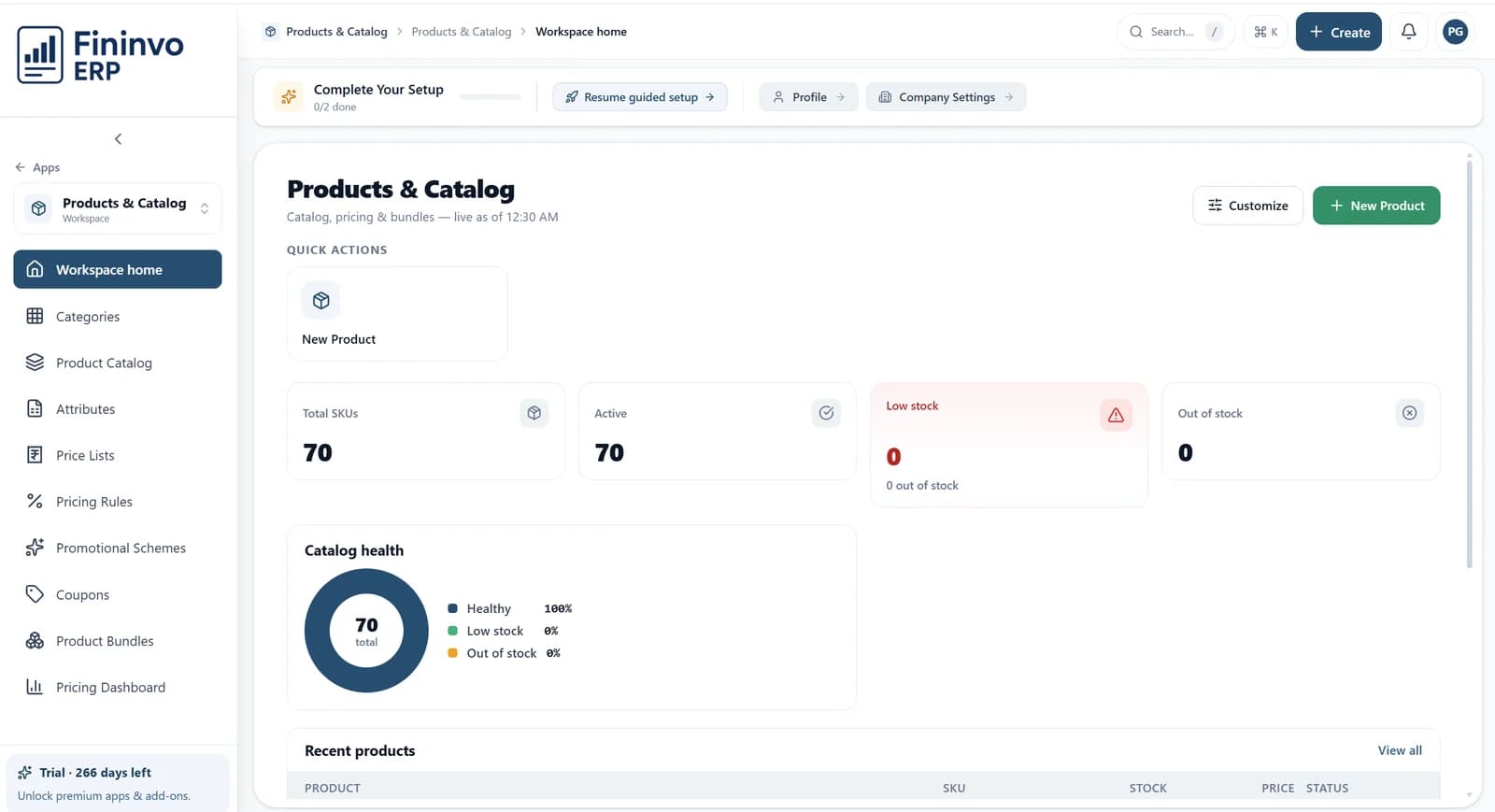
The catalog the app scans against, as your team sees it on the web.
Who uses it
One app,
a workspace per role.
The app opens the workspaces your plan includes and your role allows, so each person sees the screens that matter to their day.
OWNERS
Approve and review
Clear the approvals inbox, read the profit and loss and see who owes you money.
SALES
Quote and invoice
Visit a customer, raise the quotation, convert it to an order and send the invoice.
STORES
Scan and receive
Look up stock, receive goods against purchase orders and run cycle counts.
COUNTER
Bill customers
Ring up sales at the POS counter, print or share the receipt and keep going offline.
New to Fininvo ERP?
Start on the web,
carry it on the phone.
The app signs in to a Fininvo ERP workspace. Create the workspace on the web, add your company, products and customers, then install the app and sign in with the same account.
Yes. The app is free on the App Store and Google Play. You sign in with your Fininvo ERP account, so it works for businesses on a Fininvo ERP plan or trial.
Can I create and send GST invoices from the app?+
Yes. Create a quick invoice or a full invoice, check HSN codes and the CGST, SGST or IGST breakup, then share the PDF or send it by WhatsApp or email.
Can managers approve purchase orders and expenses on the phone?+
Yes. The approvals inbox shows everything waiting on you. Swipe to approve, or swipe to reject and add the reason, exactly as on the web approvals page.
Does the ERP app work without internet?+
Screens keep showing the last synced data while offline. A set of actions, such as quick invoices, payments, approvals and expense claims, are queued on the phone and sent when the connection returns.
Can I use the ERP app as a POS billing counter?+
Yes. The POS counter is part of the ERP app: scan items with the camera, take payment, print on a Bluetooth printer (Android), share the receipt and keep cash billing going offline. See the POS page for how counters are set up.
Which modules appear in the app?+
The app shows the modules your company has on its plan and that your role is allowed to use, so a store manager and an accountant see different workspaces.
Is this the same app as Fininvo HRMS?+
No. Fininvo ERP and Fininvo HRMS are separate apps with separate store listings. Employees use the HRMS app for attendance, leave and payslips.